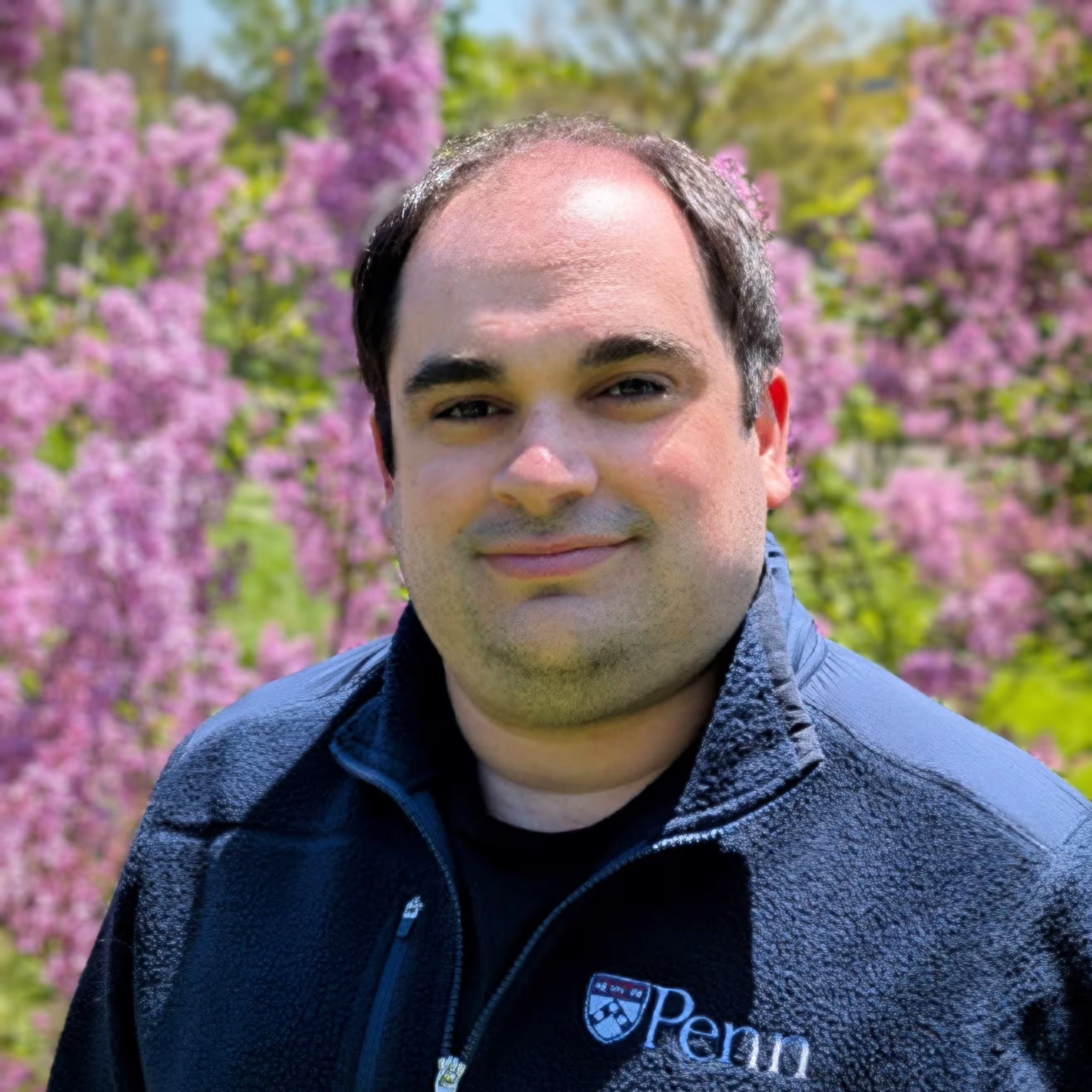
Ryan Marcus, assistant professor at the University of Pennsylvania. Using machine learning to build the next generation of data systems.
    ____                       __  ___
   / __ \__  ______ _____     /  |/  /___ _____________  _______
  / /_/ / / / / __ `/ __ \   / /|_/ / __ `/ ___/ ___/ / / / ___/
 / _, _/ /_/ / /_/ / / / /  / /  / / /_/ / /  / /__/ /_/ (__  )
/_/ |_|\__, /\__,_/_/ /_/  /_/  /_/\__,_/_/   \___/\__,_/____/
      /____/
   ___                   __  ___
  / _ \__ _____ ____    /  |/  /__ ___________ _____
 / , _/ // / _ `/ _ \  / /|_/ / _ `/ __/ __/ // (_-<
/_/|_|\_, /\_,_/_//_/ /_/  /_/\_,_/_/  \__/\_,_/___/
     /___/
   ___  __  ___
  / _ \/  |/  /__ ___________ _____
 / , _/ /|_/ / _ `/ __/ __/ // (_-<
/_/|_/_/  /_/\_,_/_/  \__/\_,_/___/
I'm Ryan Marcus, an assistant professor of computer science at the University of Pennsylvania. I'm using machine learning to build the next generation of data management tools that automatically adapt to new hardware and user workloads, invent novel processing strategies, and understand user intention.
I am especially interested in query optimization, index structures, intelligent clouds, programming language runtimes, program synthesis for data processing, and applications of reinforcement learning to systems problems.
News
- 30 Jun 2025Our 📄 theory of generalization in learned cardinality estimation, along with our paper on 📄 learning cardinality estimates from incomplete data, will appear at VLDB '25! Both papers are from 🎓 final-year PhD student Peizhi Wu.
- 05 May 2025We'll present two papers on learned offline query optimization at SIGMOD '25: Jeff Tao's 📄 BayesQO work on using Bayesian optimization to find "super-optimized" query plans, and Zixuan Yi's 📄 LimeQO work on optimizing entire query workloads at once.
- 15 Apr 2025Our demonstration of 🛠️ ScaleLLM, which combines embeddings and small models to emulate using an LLM on each row of a large database, will be presented at SIGMOD '25.
- 01 Mar 2025The 📄 BFTBrain paper, which uses reinforcement learning to maximize the performance of adversary-tolerant distributed systems, will be presented at NSDI '25.
Previous news items ...
- 06 Dec 2024Our work on 📄 LLMSteer, a system for steering query optimizers with large language models, will be presented during a 🔦 spotlight talk at the NeurIPS ML4Sys workshop!
- 20 Jul 2024We'll be presenting our 📄 vision for full stack adaptivity via machine learning for blockchain systems at VLDB '24, along with a 🛠️ demo of BFTGym, our environment for performance testing BFT protocols under various fault conditions.
- 01 Jun 2024Two fresh takes on query planning presented at SIGMOD '24: first, 📄 Stage, the cache-based multistage query latency predictor used in Redshift, and second, 📄 LimeQO (aiDM workshop), a workload-level query steering technique using linear methods.
- 20 May 2024I appeared on the 🎙️ Disseminate podcast.
- 06 Dec 2023I gave a 🗣️ talk at PrestoCon about learned query optimization and 📄 AutoSteer (abstract).
- 16 Aug 2023Our 📄 AutoSteer paper, an extensible learned query optimizer for any SQL database, was published in VLDB '23. We're also presenting a demo of 🛠️ QO-Insight, our tool for exploring and understanding learned query optimizers.
- 19 Jun 2023Our 📄 Kepler (robust learned parametric query optimization) and 📄 Auto-WLM (learning enhanced workload management) papers were published at SIGMOD '23.
- 07 Apr 2023Our 📄 AdaChain paper, the first adaptive blockchain that switches architectures in order to optimize throughput for dynamic workloads, was published at VLDB '23.
- 20 Feb 2023Our 📄 paper on robust cardinality estimation under dynamic workloads was published at VLDB '23.
- 15 Sep 2022Our 📄 SageDB paper, the first complete data system built with instance optimization as a foundational design principle, was published at VLDB '22.
- 30 Apr 2022I will be 👋 joining the CIS faculty at the University of Pennsylvania in Fall 2023!
- 15 Jun 2021Our 📄 Bao paper, a practical approach to learned query optimization, 🏆 wins the Best Paper Award at SIGMOD '21.
- 18 Mar 2021Our 📄 paper presenting the first 🛠️ benchmark of learned indexes has been accepted to VLDB '21.
Blog Posts
-
2024's hottest topics in databases (a bibliometric approach)
A look at the most hottest topics in database research over the past few years using citation analysis.
(28 Mar 2025).
-
Related work search for database papers
Search past database conferences for potential related work.
(02 Feb 2025).
-
Ten years of improvements in PostgreSQL's optimizer
Since at least version 8, PostgreSQL’s query optimizer has been improving by around 15% between major versions
(12 Apr 2024).
-
Most influential database papers
We can use PageRank on top of the citation graph to find the influential papers in data management
(25 Jul 2023).
-
Generating bios with large language models
We can use a large language model to write a short bio for any researcher, but the results vary drastically in quality
(20 Dec 2022).
Copyright 2025 Ryan Marcus